
This blog post is a tutorial in how to reverse a PE file using IDA PRO and Ghidra. The PE file is an alert which keeps popping up on screen every minute with the message “Damage to your C drive”. This file is not malicious but can be annoying.
StartAddress Function
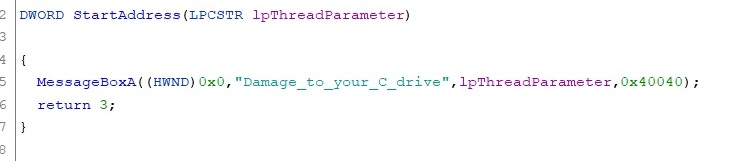
I open this exe file in IDA Pro and look at the three main functions. I quickly determine this file creates a thread which creates another thread. We will start analyzing the Startaddress function, this seems to do little more than product a Messagebox displaying “Damage to your C drive”.
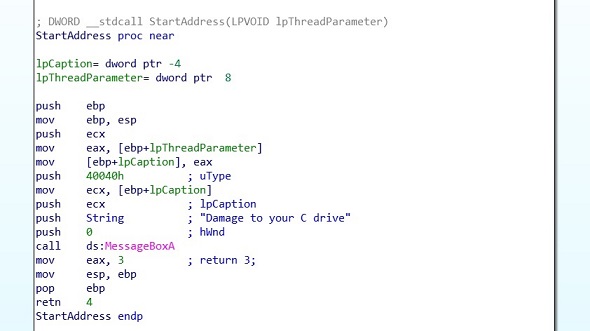
In Ghidra I reverse this function making it more understandable.
CreateThread Function
The next function we look at is the createThread function.
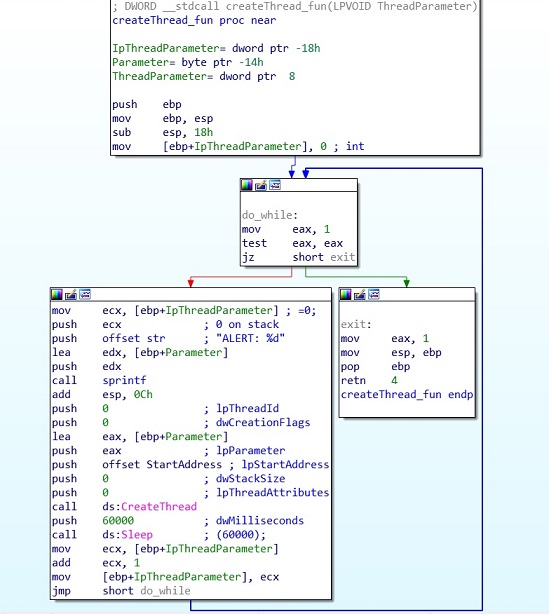
Looking at this function in Ghidra we can understand it more clearly.
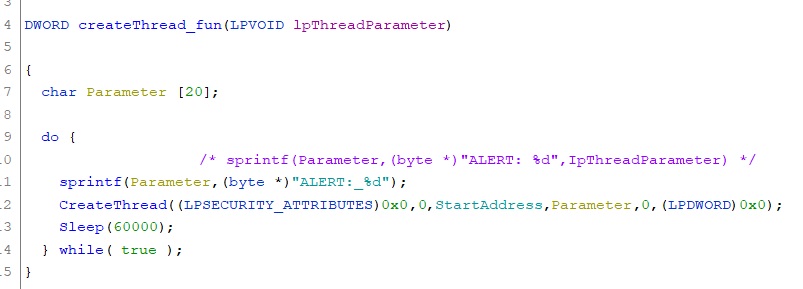
This function is a loop that creates a thread every minute. This thread activates the StartAddress function which will produce the messagebox. We can also see a parameter for the title of the messagebox which is set by the sprintf function. This parameter is the format string “ALERT: %d”, where %d is replaced with a counter that increments every time the messagebox is displayed.
AnotherThread Function
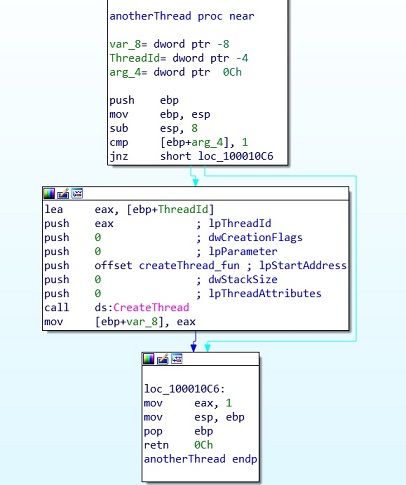
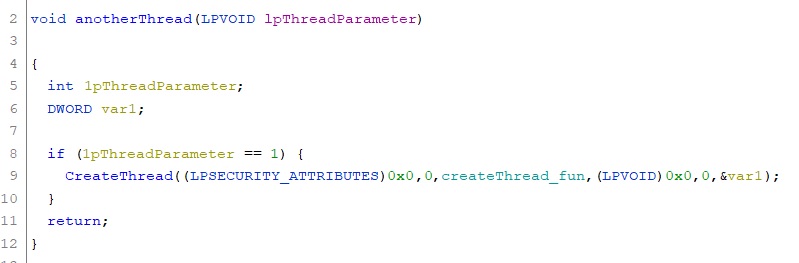
The last function creates another thread to activate the first thread.
 ThreatBlogger