
Process Hollowing is the technique of executing malicious code, in a running legitimate process to avoid detection by process-based defenses. The Malware launcher will create a legitimate process (e.g. calc.exe), suspended the process, hollow out the executable’s image in its memory and inject malicious code into that virtual memory space of the legitimate process.
This is a simple informative tutorial in how Process Hollowing works. Using a Process Hollowing tool, I will run a legitimate process, suspend that process and hollow out its memory, replacing it with a simple piece of code. Using a debugger I will find this code and reverse it back to an understandable format.
Payload
To keep this as simple and as basic as I can, the code im going to inject is a simple MessageBox created with a 32bit compiler, the binary I called “Payload”.
Process Hollowing Tool
Im going to use a process hollowing tool to inject the code, this tool will tell me what process will be used, process PID, ImageBase (start of the exe file ) address, size, allocated memory, where each section is injected too and the entry point (where code execution starts).
I start the application and point to my Payload binary.

I instantly get all the information I need. The process being injected into is the calculator (calc.exe) process which is a standard windows process. The PID is 12636, the PED is 0x53e000, the image base address is 700000. The entry point is 0x7014e0.
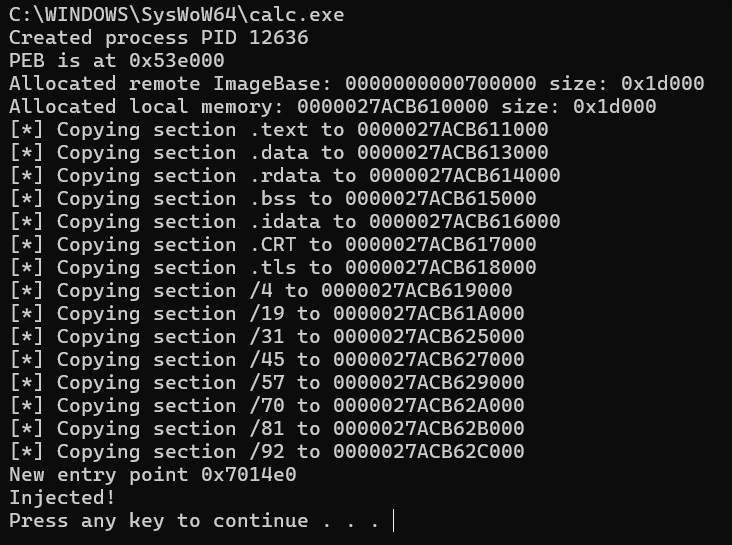
Now my code has been successfully been injected my next task is to find it and to do that I have to find its assembly addresses.
Finding the Injected code.
My injected code wont have any information such as Strings or Windows API function information, it will be bare assembly addresses. I have to reverse my payload binary first in the Snowman Decompiler to get these address.
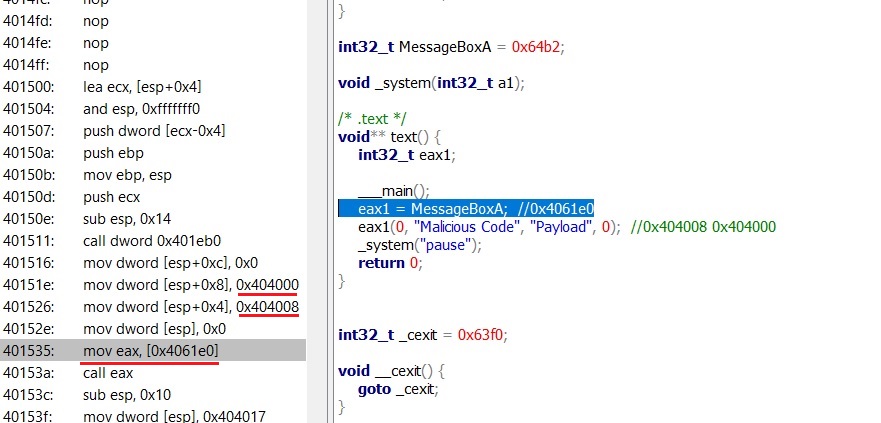
The injected code im looking for will look something like this:
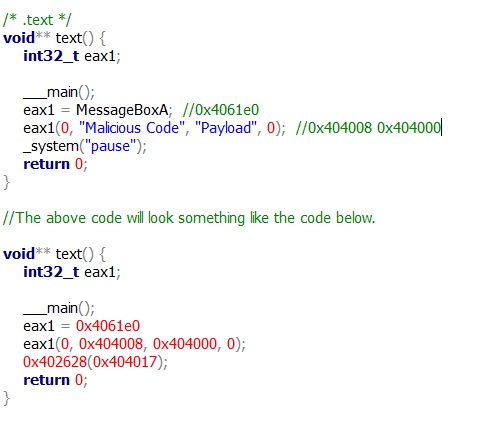
x32dbg
I launch my x32dbg application and go to File – Attach to view current running processes. I see the calc.exe process is running.

I click on the calc process, now im inside that process. I go to Memory Map.
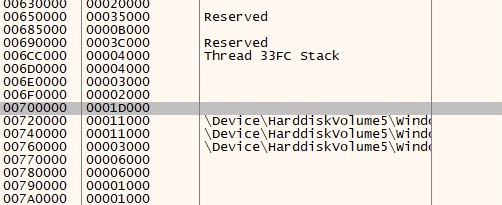
I find the ImageBase Address: 00700000 and size: 001D000 I click on it and scroll down to find the entry point which is 0x7014e0.
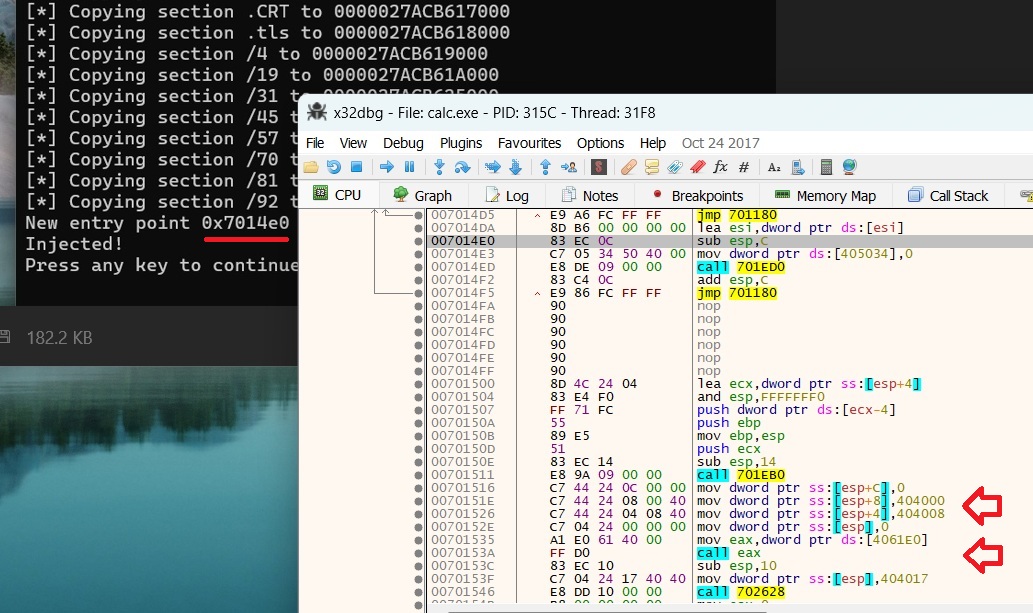
Finding the entry point and looking through the assemble I find my injected code, which I recognised through the address I had reversed earlier.
The Snowman Decompiler
I select the assembly code and decompile it, making it a more understandable in the Snowman Decompiler.
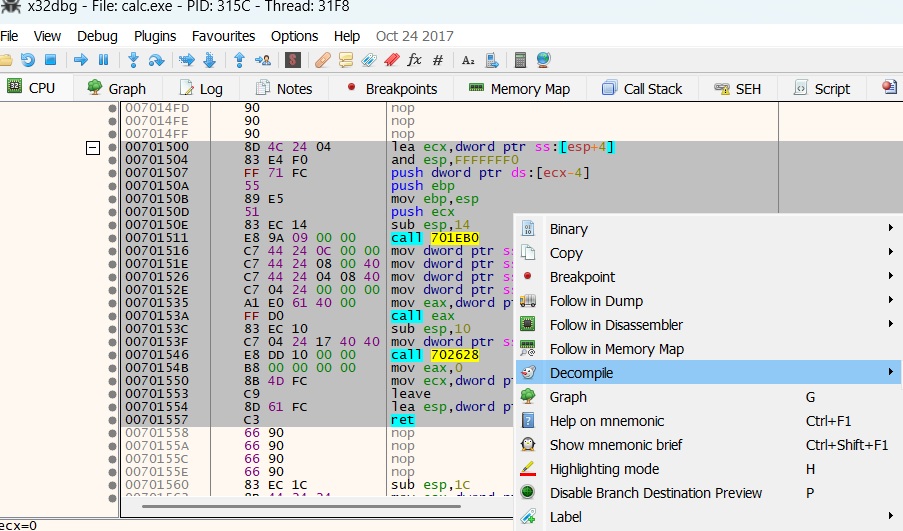
The code now looks similar, with the same addresses as reversed earlier.
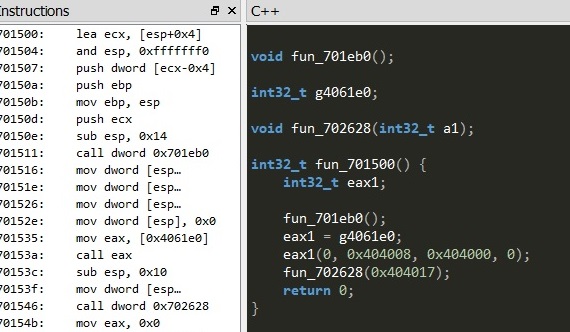
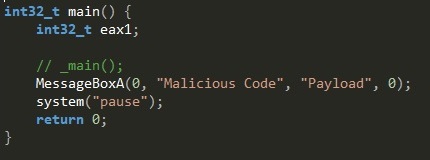
I can now reverse these addresses back to the API functions and Strings we had seen earlier.
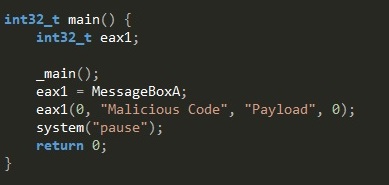
The final reversed code can be compiled now into a working executable.
 ThreatBlogger